Showing posts with label Counter. Show all posts

StumbleUpon Buttons [With Counter]


STEPS TO FOLLOW:

STEP #1
Go to this page StumbleUpon Buttons and select the type of button you want to use on your blog.
STEP #2
Now log in to Blogger, go to Layout -> Edit HTML and mark the tick box "Expand Widget Templates". Then find (CTRL+F) this code in your template:
<data:post.body/>
And immediately ABOVE/BEFORE it, paste the code you just got from StumbleUpon, with two more additional lines of code (highlighted as BOLD, below) to hide these buttons in your blogs homepage.
<!--SU-BUTTON-STARTS-->
<b:if cond='data:blog.pageType == &quot;item&quot;'>
&lt;script src=&quot;http://www.stumbleupon.com/hostedbadge.php?s=2&quot;&gt;&lt;/script&gt;
</b:if>
<!--SU-BUTTON-STOPS-->
Save the template and Show off your big numbers!

Who's Currently Online?


Do you want to know who are online on your blog?
just go to Who's.Amung.Us and generate your own Code.


How to get Code from Who's.Amung.Us
you will see like this on the site :


How to implement on your blog?
Just copy the code and go to Blogger 
Next to "Design" > "Page element" 
Click "Add a Gadget" and Paste the code you get on Who's.Amung.Us

Google Translator for Blogger

image


 If you are having a blog and receiving visitors from various countries and cities of the world, then they may or may not be comfortable with the language of your blog. So adding a translator button or a widget is always useful.


Two options to add a translator:
I.
Log in to Blogger
Go to Layout and then Add a Gadget -> HTML/Javascript
Now copy and paste this code in to it:
 Source: Google
<div id="google_translate_element"></div><script>
function googleTranslateElementInit() {
new google.translate.TranslateElement({
pageLanguage: 'en'
}, 'google_translate_element');
}
</script><script src="http://translate.google.com/translate_a/element.js?cb=googleTranslateElementInit"></script>
Then Save.

II.

Log in to Blogger
Go to Layout and then Add a Gadget -> HTML/Javascript
to get the code, Click this MyDataNest
and paste to the "HTML/Javascript" then save.

GoogleBuzz Buttons [With Counter]


In this tutorial you will see and learn on how to get GoogleBuzz to your blogs...See instructions to add these official Google-Buzz buttons (to Blogger Blogs):


STEP #1
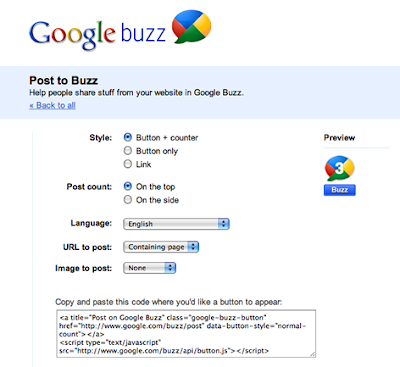
Visit this page: Google-Buzz Stuff
Click on the link "Post To Buzz" and in the next page,
select the type of button you want to use on your blog.


URL To Post       - Containing Page
Image To Post     - Let it be None.


STEP #2
Log in to Blogger, go to Layout -> Edit html and tick the tick-box "Expand Widget Tempaltes".
And find (CTRL+F) this code in the tempalte:
<data:post.body/>
Immediately Before that paste this code below,
<!--BUZZ-STARTS-->
<div style='border:0px !important;text-align:right;margin-top:-42px;'>
Google Buzz Code Here</div>
<!--BUZZ-STOPS-http://youtrickz.blogspot.com-->
Make sure to change the Google Buzz Code with the code you got from the step 1
Then Save.

StumbleUpon Buttons [With Counter]


Now you can add "Stumble It" buttons/badges to your blogs, along with a counter to show the number of stumblers stumbled on your site/post via StumbleUpon.com
The buttons are straight from StumbleUpon, with no modification required. Your readers will simply click these buttons to submit your pages to StumbleUpon and all the visitors coming to your page from SU will be counted by SU and the number of visitors will be shown in these buttons. Of all the social bookmarking sites I have ever used, I prefer StumbleUpon for the massive traffic it provides.


Step by step guide on how to implement to your blogs/websites.
First of all  click this page StumbleUpon Buttons and select the type of button you want to use on your blog and you will see on the page like this:

In the main site you will see this button,so just click and you will proceed to "Design Page"

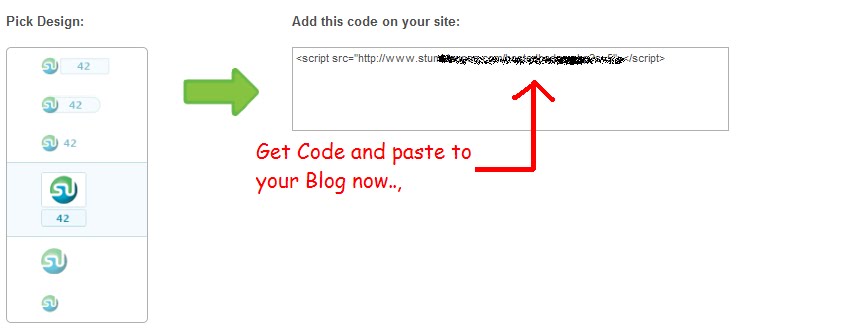
Here is the Design Page,click on the button you want to they will give you the code

Assuming you choose this design:

 image
The code you will get is:
<script src="http://www.stumbleupon.com/hostedbadge.php?s=5"></script>

Now log in to Blogger, go to Layout -> Edit HTML and mark the tick box "Expand Widget Templates". Then find (CTRL+F) this code in your template:
<data:post.body/>
And immediately ABOVE/BEFORE it, paste the code you just got from StumbleUpon, with two more additional lines of code (highlighted as BOLD, below) to hide these buttons in your blogs homepage.
<!--SU-BUTTON-STARTS-->
<b:if cond='data:blog.pageType == &quot;item&quot;'>
&lt;script src=&quot;http://www.stumbleupon.com/hostedbadge.php?s=2&quot;&gt;&lt;/script&gt;
</b:if>
<!--SU-BUTTON-STOPS-->
 After that Just Save it and start Stumble.


Sign up for FREE daily Updates.